
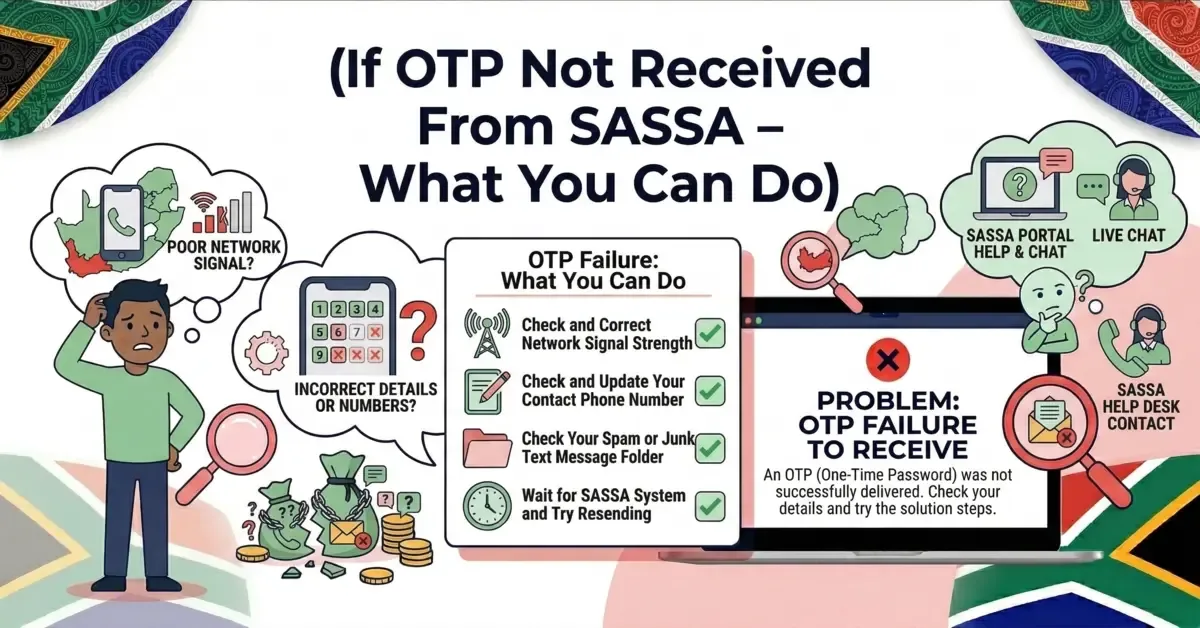
Waiting for a SASSA OTP that never arrives is one of the most frustrating parts of the SRD process - and it stops you from checking your status, verifying your identity or updating your details. The good news: the cause is almost always simple and you can fix it yourself in a few minutes. This guide covers every reason an OTP fails to arrive and exactly how to fix each one.
Why You Are Not Getting the SASSA OTP
- Wrong or inactive number: the number registered with SASSA is incorrect, expired, or you changed your SIM and did not update it - the most common cause.
- Weak network signal: a poor connection delays or blocks the SMS.
- SMS blocked or marked as spam by your phone or network.
- SASSA system delays during peak times, especially near payment dates.
- Full message inbox - a full SMS box stops new messages arriving.
How to Fix It (Step by Step)
- Confirm your registered number. Make sure the number on your SASSA application is correct and active. If it changed, update it - here is how to change your SRD phone number.
- Wait and request once more. Give it 2 to 3 minutes, then request the OTP again. Do not spam the button.
- Check your signal. Move to a spot with better coverage and restart your phone to refresh the network.
- Clear your inbox. Delete old SMS messages so there is room for new ones.
- Turn off Flight Mode and Do Not Disturb. These quietly block incoming messages.
- Check your dual-SIM settings. Make sure the SIM registered with SASSA is active and set to receive SMS.
- Try during off-peak hours - early morning or late evening, when the system is less busy.
What to Expect
Most OTPs arrive within a minute or two on a healthy connection. During busy periods (month-end, payment week) they can take longer. If it has not arrived after a few minutes, work through the steps above before requesting again - repeated requests can temporarily block you.
What You Should NOT Do
- Do not request the OTP many times in a row - the system may lock your request for a while.
- Do not pay anyone who offers to "send" your OTP or fix your status - that is a scam.
- Never share an OTP, your banking PIN or your password with anyone - not even someone claiming to be from SASSA. A real OTP is only ever entered by you, on the official site.
When to Contact SASSA
If you have tried everything and still get no OTP, the problem may be on your account. Contact SASSA support with your ID number and registered phone number ready:
- Toll-free call centre: 0800 60 10 11
- WhatsApp: 082 046 8553
- Or visit your nearest SASSA office in person.
They can confirm whether the system is sending the OTP to the right number. Once you receive it, you can finish checking your SRD R370 status or completing your e-KYC verification without stress.
📚 Sources & References
Share this guide with someone who needs it.
💬 Comments (0)
No comments yet. Be the first to share your thoughts.
Leave a Comment